Copy Rigid Body Settings to Other Objects
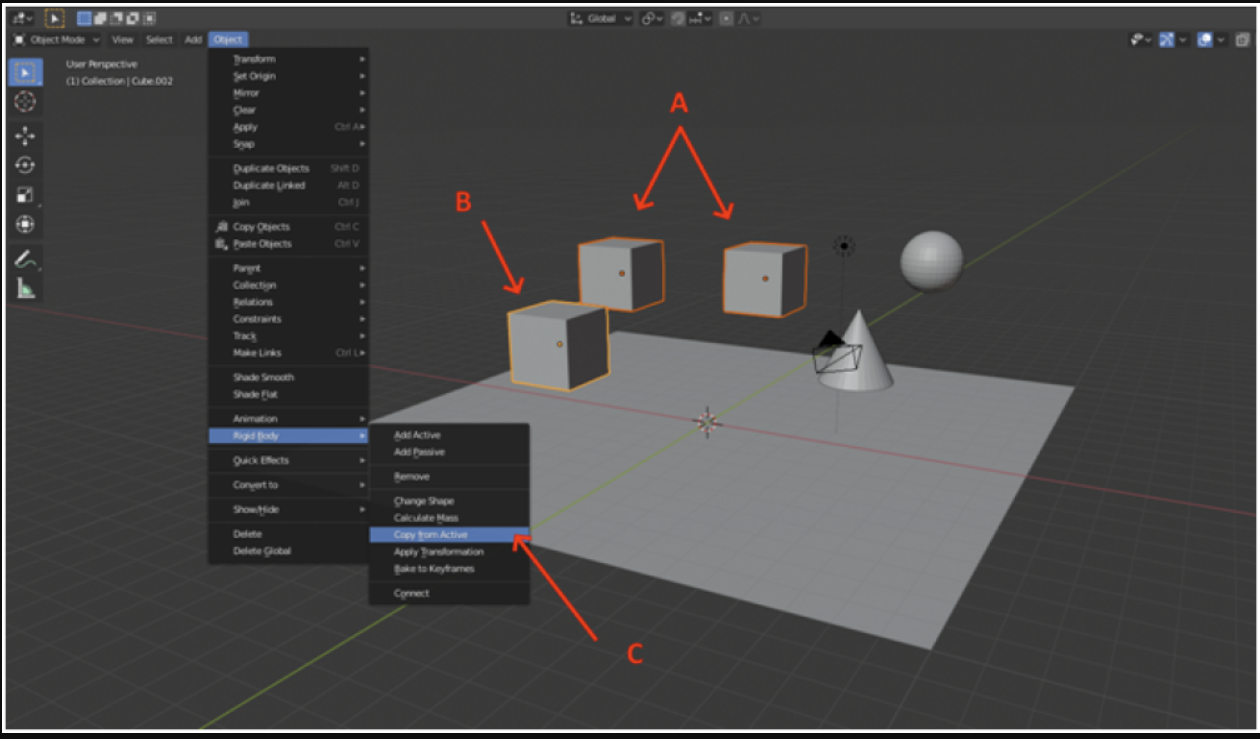
To do it, first select the two cubes to which you want to copy the rigid body (A). Then select the cube which already has the rigid body (B). This last cube will become the active object, which you can tell by the color of its outline.
Then go to Object -> Rigid Body -> Copy from Active (C).